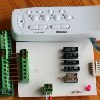
Velleman's K8055N/K8061 USB Interface Board projects
I
bought a Velleman interface board some time ago and
found that there is a
distinct lack of code examples on the web, particularly in a nice
little language like BBC BASIC for Windows, which is
ideal for interfacing because as it is an interpreted language, a
line of code can be tested as soon as it has been written. All my
programs run in their own window and hence your computer stays
multi-tasking at all times.
Having said this, all my programs come with a stand-alone
executable file which will run in any version of Windows without any
need for BBC BASIC for Windows.
I give
suggested circuit boards layouts, but as components will vary in
size, some of this will be of limited use. Also, I like to etch my
own circuit boards and I fully realise that this is a minority sport.
However, below you can find an article that shows you how to do this.
Most of the programs written for the projects below
also come with code for the K8061.
Feel free to contact
me if you think I might be able to help.
ImportantMost of he program expect the latest
dynamic link library published by Velleman when they introduced the
K8055N. At the time of writing this is K8055D.DLL version 5.0.0.0. This
library has more functions than the previously published libraries.
Using an older library will produce error messages and not much else.
Also note that the size of text on the screen is dependant on the
setting in ControlPanel/Display. If you have this at anything other than
100%, some of these programs may behave strangely.
Some links
|